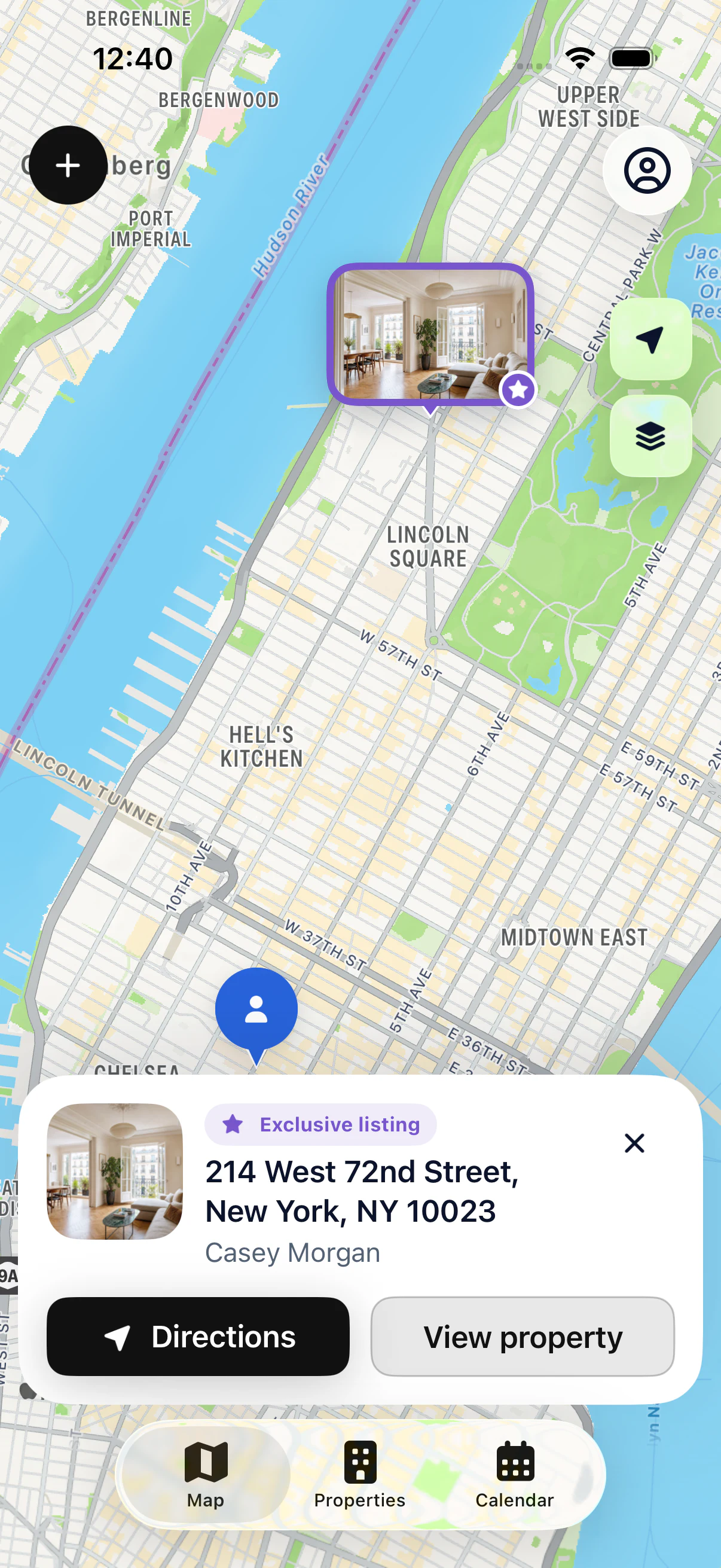
Before the showing
Read your notes and find the owner’s contact details.


REAL ESTATE AGENTS IN THE FIELD
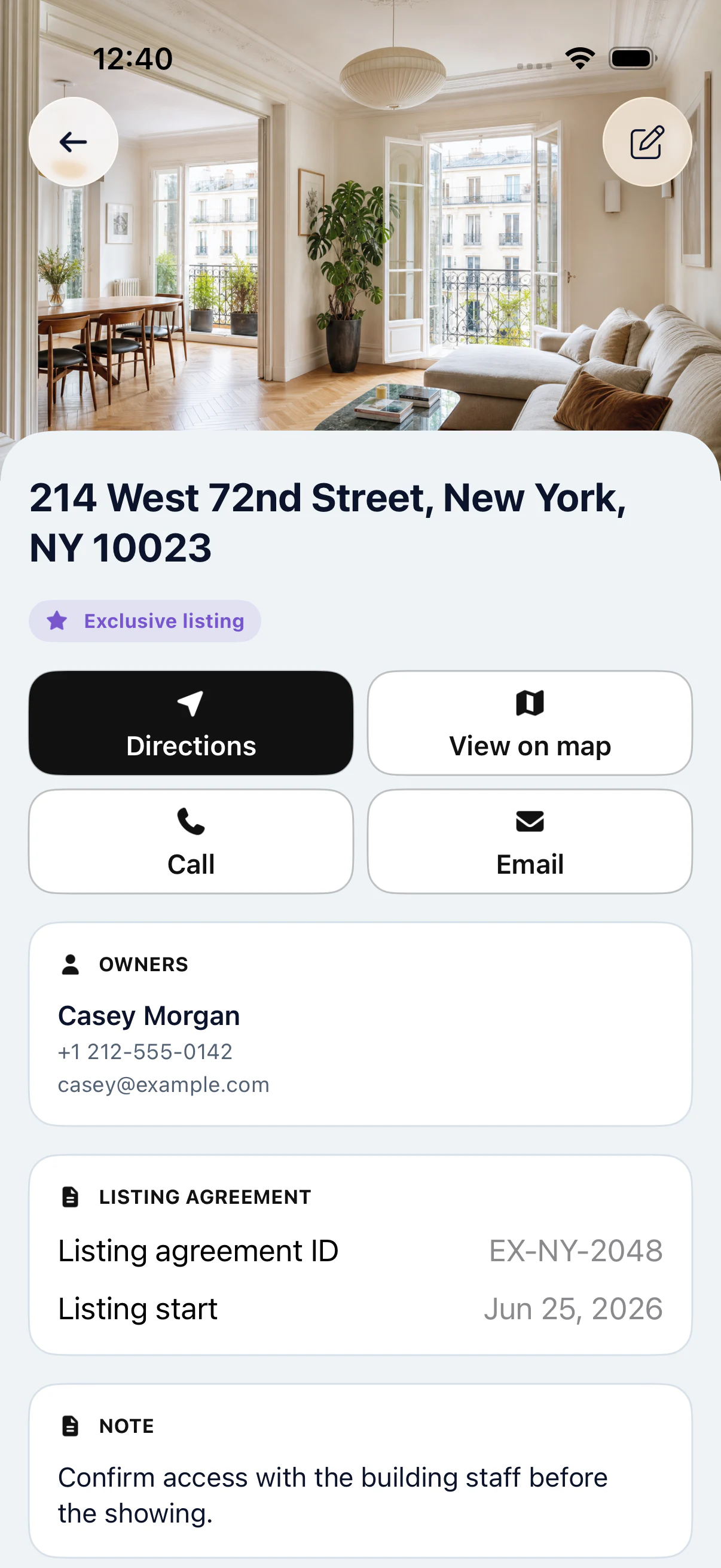
At a showing, you need the right address and the right details. My Estate Map brings your map, your property files and your calendar together in one app for iPhone and iPad.
Your first 3 properties are free, on iPhone and iPad.
IN PRACTICE
Read your notes and find the owner’s contact details.
Check and update the property file from your phone.
Update your follow-up and plan the next meeting.
AN APP FOR THE ROAD
Before the appointment, open the property file: address, owner contact details, status and latest notes. You see everything you recorded in previous conversations.
On site, add what matters for your follow-up. After the showing, update the file and schedule the next appointment for the same property with Pro.
The app is built for independent agents and agents at a brokerage. Each person manages their own portfolio. Start with up to 3 properties for free, with no sign-up; linking Apple for sync is optional.
In the field, the simple actions matter most: open the file, find the owner, start directions. The app is designed for these quick actions between appointments. At the end of the day, your notes are already up to date.
See all featuresView Pro pricingReal estate CRM or field app: what’s the difference?
KEY POINTS
GOOD TO KNOW
Open the property file: read your latest notes and find the owner’s name. You start the conversation knowing exactly where things stand.
Properties already on your phone stay available offline. Your changes are saved and synced as soon as you’re back online.
Use your iPhone in the field and your iPad at the office. After optionally linking Apple, you find the same portfolio on both.
STEP BY STEP
Find the property in your portfolio.
Check the file before the meeting.
Add your new notes.
Book the next appointment with Pro.
YOUR QUESTIONS
Your first 3 properties are free, on iPhone and iPad.
Yes. A brokerage agent can use it for their own portfolio, just like an independent agent. My Estate Map doesn’t offer a shared team workspace.

START WITH 3 FREE PROPERTIES
Add up to 3 properties for free, then see them on the map.