Locate your properties
See the addresses in your portfolio on a standard or satellite map.


REAL ESTATE MAPPING SOFTWARE
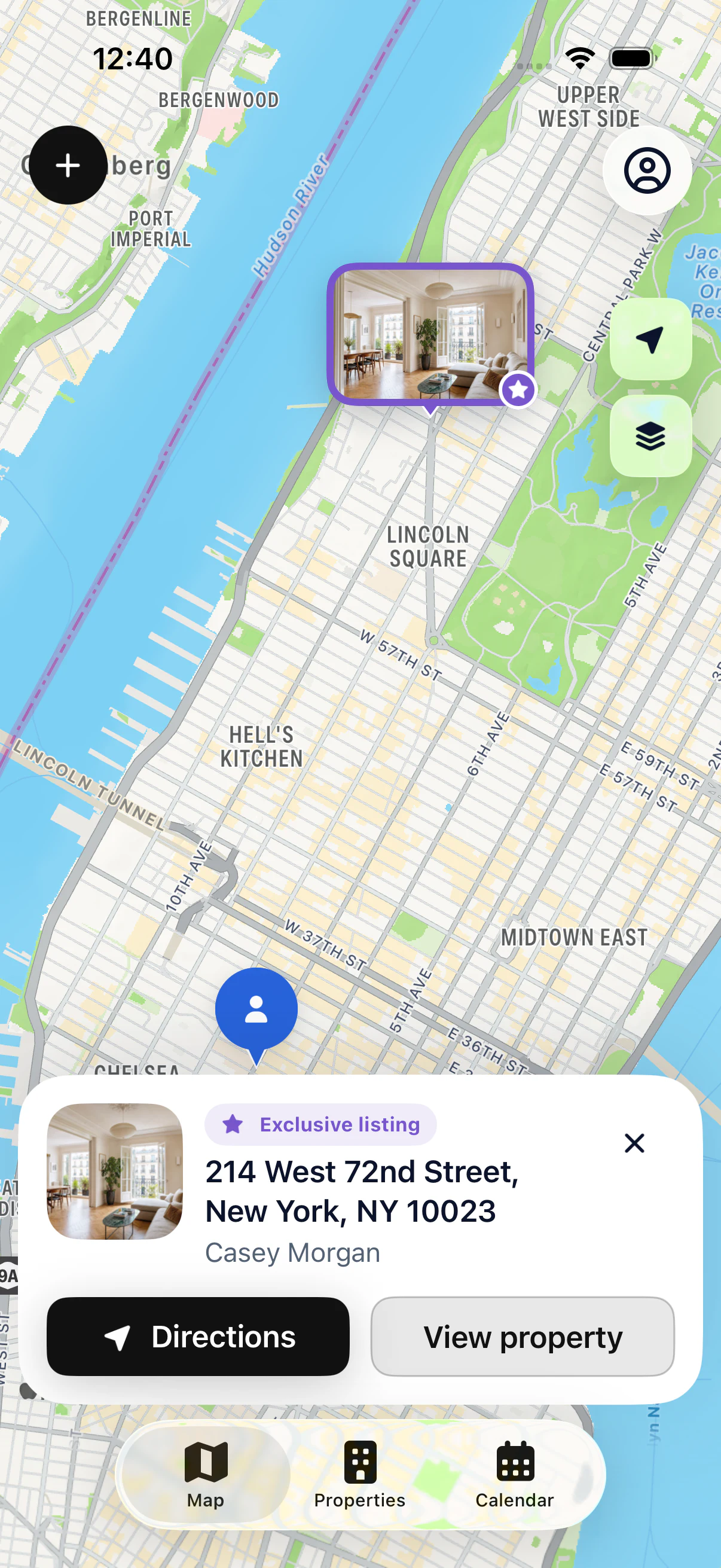
When your properties are spread across neighborhoods and towns, a map helps you see where everything is. My Estate Map shows the properties you add or import on a map, with direct access to each property file.
Your first 3 properties are free, on iPhone and iPad.
IN PRACTICE
See the addresses in your portfolio on a standard or satellite map.
Tell prospects, active listings and other stages apart at a glance.
Start directions from the property file, without retyping the address.
USING THE MAP EVERY DAY
You have a showing in a neighborhood where you work several properties. Open the map to spot the one you’re visiting and see the other properties in your portfolio nearby. Markers are color-coded by status.
Tap a property to see a preview, then open its file. You’ll find the owner’s contact details, your notes and directions. The address can be sent to Apple Maps, Google Maps or Waze.
The map shows your own portfolio. It fills up with the properties you add or import; it doesn’t provide new seller leads or public listings.
To start, add up to 3 properties for free: each one appears at its address right away. With Pro, add every property you work or import your existing list. The map then follows your business: new properties, status changes and archived properties.
See all featuresView Pro pricingSpreadsheet or app: how should you track your properties?
KEY POINTS
GOOD TO KNOW
Before a showing, the map also shows the other properties you follow nearby. Drive past an active listing or call an owner in the same area while you’re there.
Markers set your prospects, active listings and other stages apart. You see where your business is concentrated, without opening a spreadsheet.
A property on the map isn’t just a pin: tap it to open its file, read your notes and call the owner.
STEP BY STEP
Find the property on the map.
Check its file.
Read your notes and contact details.
Start directions.
YOUR QUESTIONS
Your first 3 properties are free, on iPhone and iPad.
It’s software that organizes property information by location. For agents, the useful version shows your own properties on a map and opens the full property file from each marker.

START WITH 3 FREE PROPERTIES
Add up to 3 properties for free, then see them on the map.