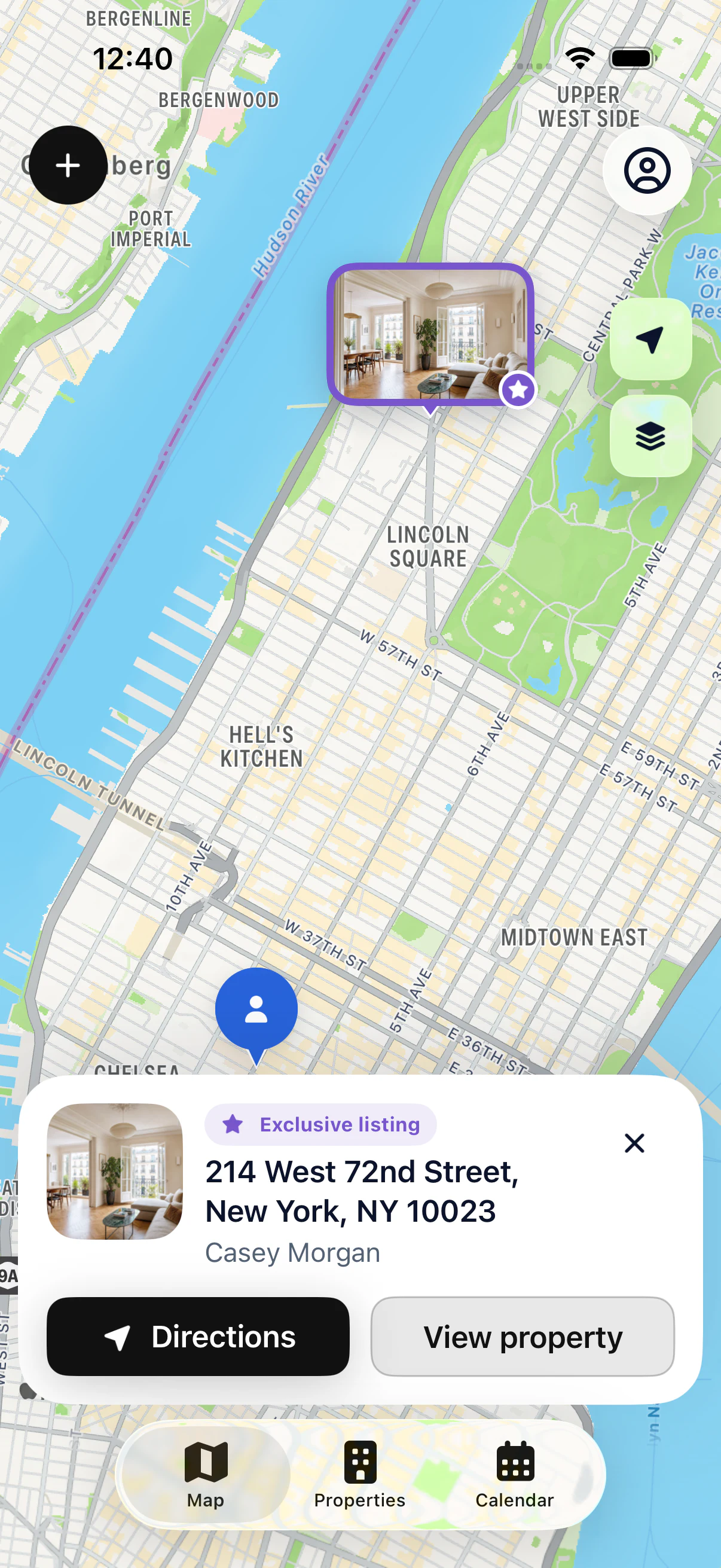
Search a property
Use its address or the owner’s name to find its file.


ORGANIZE YOUR PORTFOLIO
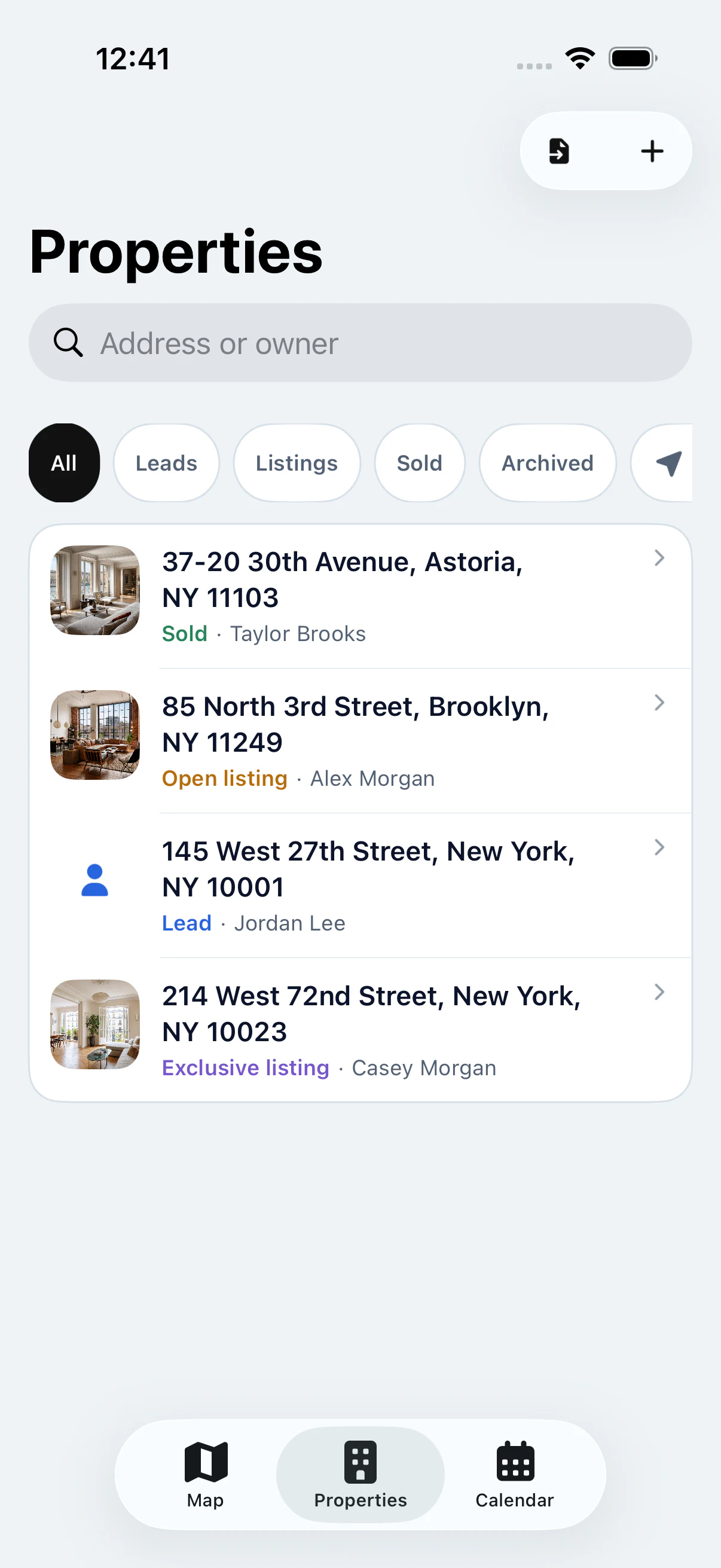
As your portfolio grows, a well-organized list helps you find properties and track their progress. My Estate Map brings search, statuses and property files together in a list linked to the map.
Your first 3 properties are free, on iPhone and iPad.
IN PRACTICE
Use its address or the owner’s name to find its file.
See your properties by sales stage.
Locate the selected property whenever you need it.
STRUCTURE YOUR FOLLOW-UP
Enter a precise address, the owner’s contact details and useful notes for each property. You can then find its file by address or owner name, even if you don’t remember exactly where it sits on the map.
Keep the status up to date: prospect, in preparation, for sale, under contract, sold or off market. Filters let you focus the list on the properties that matter right now. The type of listing agreement stays separate from the sales status.
Archive the properties you no longer actively follow to keep your list readable. Find your active files and their details quickly before each showing.
A well-kept list also helps you follow up with owners: filter your prospects, open their files and reread your latest notes before you reach out. You know right away where you left off with each one.
See all featuresView Pro pricingSpreadsheet or app: how should you track your properties?
KEY POINTS
GOOD TO KNOW
Record the exact address, the owner and the context from your very first conversation. A complete file saves you from digging through your messages later.
Move the property from prospect to for sale, then under contract. Filters then show you instantly which properties need action.
Archive sold properties or the ones you no longer follow. Your list stays short and readable.
STEP BY STEP
Add the address and the owner.
Choose the right status.
Add notes after the showing.
Use search or filters.
YOUR QUESTIONS
Your first 3 properties are free, on iPhone and iPad.
The status shows where the property is in your follow-up, for example for sale or under contract. The listing agreement describes your arrangement with the owner, for example exclusive or open.

START WITH 3 FREE PROPERTIES
Add up to 3 properties for free, then see them on the map.